What is a URL Shortener?
A URL shortener converts a long web address into a shorter link.
For example:
Long URL:
https://example.com/products/category/product-name?id=12345After shortening, it can become something like:
https://viraltopic.online/abc123The short link redirects visitors to the original destination.
How to Shorten Your Link
Step 1: Open ViralTopic
Go to:
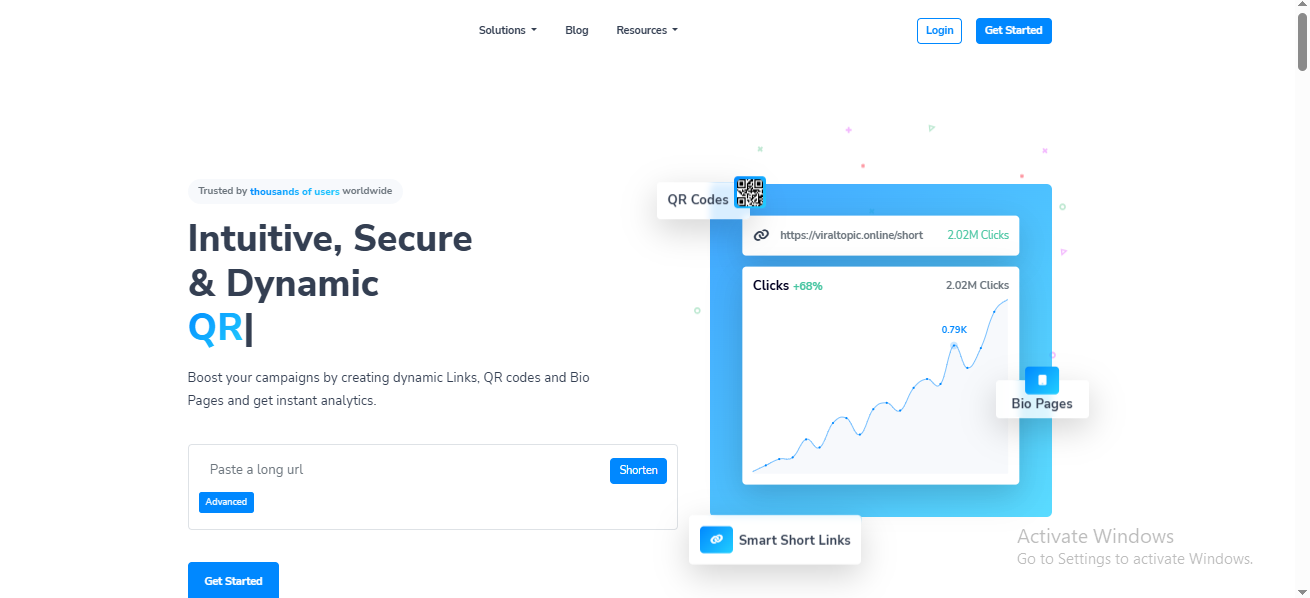
You will see the main URL shortening page.
Step 2: Paste Your Long URL
Find the URL input box on the homepage with the text:
“Paste a long url”
Paste the website address that you want to shorten into this box.
Step 3: Use Advanced Options
If you need additional options, click the Advanced button.
Depending on the available features of your account, you can use additional link settings before creating your short link.
Step 4: Create Your Short Link
After entering your long URL and selecting the options you need, create the short link.
Your long URL will then be converted into a shorter, cleaner link that is easier to share.
Why Use a Short Link?
Short links can be useful for:
- Social media posts
- Website promotions
- Marketing campaigns
- Sharing links through messaging apps
- QR codes
- Tracking link clicks
- Making long URLs easier to remember
Manage Your Links
If you want to manage your links and access additional features, you can use the Login option or create an account using Get Started.
With an account, you can manage your shortened links from your dashboard and use the features available on your ViralTopic plan.
Start Shortening Your Links
Ready to create your first short link?
Visit ViralTopic, paste your long URL, and create a short, shareable link.
Start shortening your URLs today with ViralTopic.